Do want a sequel to the popular Doctor Who episode: Blink, from Series 3? Or are you a Doctor Who fan who’s also into those ‘missing-mobile-phone-horror’ games? If yes, then you are definitely in for a surprise cause here we go for the Doctor Who The Lonely Assassins review!
What is it about?
A still from the PC version of The Lonely Assassins [Steam].
The story heavily involves the Weeping Angels and builds upon the events of Blink. The gameplay of Doctor Who: The Lonely Assassins involves searching for clues on Larry Nightingale’s phone, who has gone missing, and reporting the events to Petronella Osgood.
Can you play Doctor Who: The Lonely Assassins without watching the show?
YES! The only prerequisite is to watch Blink, the tenth episode of the 3rd series from Doctor Who. Of course, there are other references from the show but they have absolutely no impact on the story line and are only present as fun Easter eggs.
Where can I download Doctor Who The Lonely Assassins?
The PC version of The Lonely Assassins is available for download on Steam, Epic Games & GOG game stores. While the Android version is available here on Google Play and the iOS version is available on the Apple App Store.
So how’s the game?
The Lonely Assassins has a fun and engaging gameplay which lasts for approximately 3 and a half hours. The Weeping Angels and the actors make you feel like you are the part of the episode.
If you have played such missing-mobile-phone games before, it might be a repetitive experience for you and may hamper your ‘wow-factor’ associated with the game. The challenges are pretty easy if you have played the games of this specific genre before.
Also, if you complete all the objectives (including the optional ones), you unlock a secret ending which gives a proper closure to the story. But after watching Blink, the story feels milked and pretty obvious, yet the game manages to keep you hooked.
Pretty great for a quick-play and as a follow up to Blink!
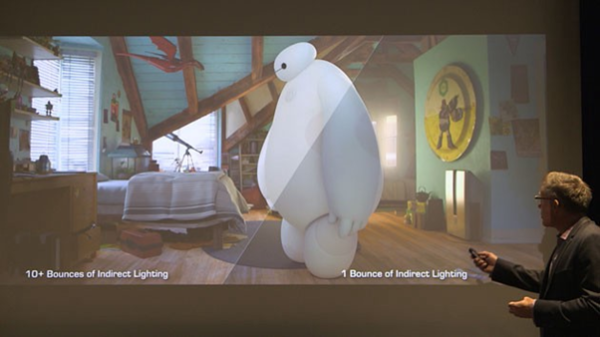
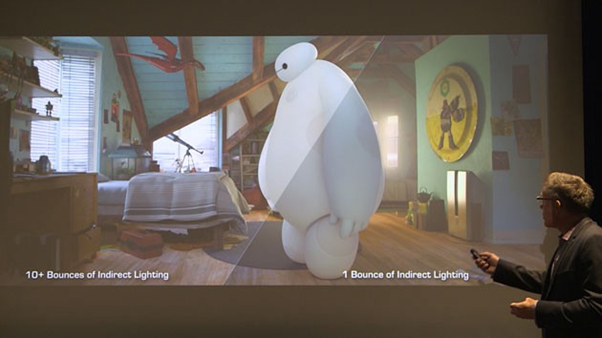
It takes around 24 hours to render each frame of a Disney-Pixar film. In fact, Pixar Animation Studios recently rendered it’s superhero-flick, Big Hero 6, on a supercomputer with 55k cores.
“We have said it many, many times. We made the movie on a beta renderer”
– Andy Hendrickson, CTO at Disney Animation
The renderer Andy referred to was Hyperion, an in-house rendering software by Pixar which could simulate real-world lightning. The lightning tricks and using the real world data of the city of San Francisco costed them enormous render time. Therefore, they used a supercomputer cluster which was distributed across four geographic locations.
Thankfully, indie animators and small studios won’t have to do that or wait for years if they want to render their films and VFX shots.
But before we tell you that, let’s answer the following question:
What is Rendering?
Rendering is the process involved in the generation of a two-dimensional or three-dimensional image from a model utilizing application programs. Rendering is necessary for architectural designs, video games, and animated movies, simulators, TV computer graphics, and style visualization. The techniques and features used vary consistent with the project. Rendering helps increase efficiency and reduce cost in design.
There are two categories of rendering: pre-rendering and real-time rendering. The striking difference between the two lies in the speed at which the computation and finalization of images take place.
Real-Time Rendering
Image Credits: Unity
The prominent rendering technique using interactive graphics and gaming where images must be created at a rapid pace. Since user interaction is high in such environments, real-time image creation is required. Dedicated graphics hardware and pre-compiling of the available information has improved the performance of real-time rendering.
Pre-Rendering
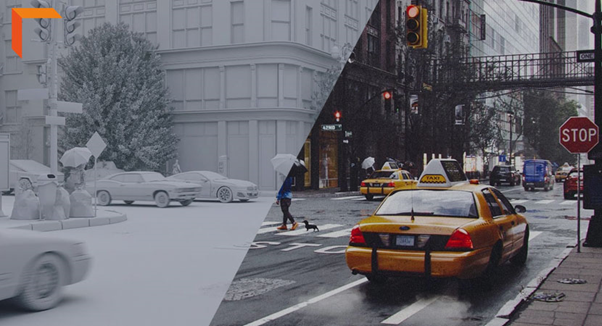
A pre-rendered still from the film Spider-man: Far From Home
This rendering technique is employed in environments where speed isn’t a priority and therefore the image calculations are performed using multi-core central processing units instead of dedicated graphics hardware. This technique is generally utilized in animation & VFX, where photorealism must be at the very best standard possible.
Rendering for 3D/CGI Work
3D rendering is that the process of a computer taking raw information from a 3D scene (polygons, materials, and lighting) and calculating the ultimate result. The output is usually a single image or a series of images rendered & compiled together.
Rendering is typically the ultimate phase of the 3D creation process, with the exception being if you’re taking your render into Photoshop for post-processing.
If you’re rendering an animation it will be exported as a video file or a sequence of images that can later be stitched together. One second of animation usually has at least 24 frames in it, so a minute of animation has 1440 frames to render. This can take quite a while.
There are generally considered two types of rendering:
CPU Rendering
GPU Rendering (Suitable for real-time rendering)
The difference between the two lies in the difference between the two computer components themselves.
CPUs are often optimized to run multiple smaller tasks at the same time, whereas GPUs generally run more complex calculations better.
Generally, GPU rendering is far faster than CPU rendering. This is what allows modern games to run at around 60 FPS. CPU rendering is best at getting more accurate results from lighting and more complex texture algorithms.
However, in modern render engines, the visual differences between these two methods are almost unnoticeable except in the most complex scenes.
CPU Rendering
CPU rendering (sometimes mentioned as “pre-rendering”) is when the pc uses the CPU because the primary component for calculations.
It’s the technique generally favoured by movie studios and architectural visualization artists.
This is due to its accuracy when making photorealistic images and the fact render times are not a considerable issue for these industries.
Although render times can vary wildly and may become very long.
A scene with flat lighting and materials with simple shapes can render out in a matter of seconds. But a scene with complex HDRI lighting and models can take hours to render.
An extreme example of this is in Pixar’s 2001 film Monsters Inc.
Monsters Inc.
The main character Sully had around 5.4 million hairs, which meant scenes with him on screen took up to 13 hours to render per frame!
To combat these long render times many larger studios, use a render farm.
Render farm is a data-center with multiple GPUs/CPUs. Due to the presence of several devices, multiple frames can be rendered together. This helps reduce overall render time for films, VFX and architectural visualizations.
How long it takes to calculate one single frame highly depends on the:
complexity of the scene
render settings
available computing power
Rendering complex scenes can hence take hours.
Taking a simple scene as an example. A computer system that can calculate a simple scene in 10 seconds, still needs about 4 hours to calculate a minute-long sequence. Hence, the system will be unusable for those hours.
It’s not uncommon for a high-quality animation based on complex 3D scenes with composite lighting calculations to take up to 30 minutes of calculation per frame; Which may also lead to over-heating of the devices!
So, how do indie-artists and filmmakers make sure their sweet little devices don’t burn up in this thermal hell? Simple answer: Don’t use them for rendering! No wait, this ain’t a sick joke!
Imagine this: How good it would be to have on demand render farms on rent, available for FREE-to-negligible price? And yeah, it is possible! Thanks to the power of the ‘cloud’!
Enter: Cloud Computing!
Avatar 2 will be rendered on AWS Cloud, by WETA Digital!
Weta Digital, the VFX studio that has 6 Academy Awards for Visual Effects and has worked on blockbusters like Avatar, Avengers: Endgame and Alita: Battle Angel, has recently shifted to an AWS Cloud Render Farm for the production of Avatar 2. WETA is the largest single-site VFX Studio in the world, based in Wellington, New Zealand.
Credits: Luma Pictures/Spider-man: Far from Home
Luma Pictures decided to go for Google Cloud for rendering the VFX shots of Spider-Man: Far From Home. The probable reason for using GCP might be due to the introduction of Elementals (Earth, Water & Fire Monsters)and the notorious anti-hero known as Mysterio, who is known for his spectacular sparkling effects. The physics, fabric and fluid-particle simulations required for the portrayal of above mentioned characters could be extremely time consuming. Google Cloud reduced the render time to 1/5th of the local render-farm time, helping them deliver the movie to the audience at the right time!
How do VFX Studios render on the AWS Cloud?
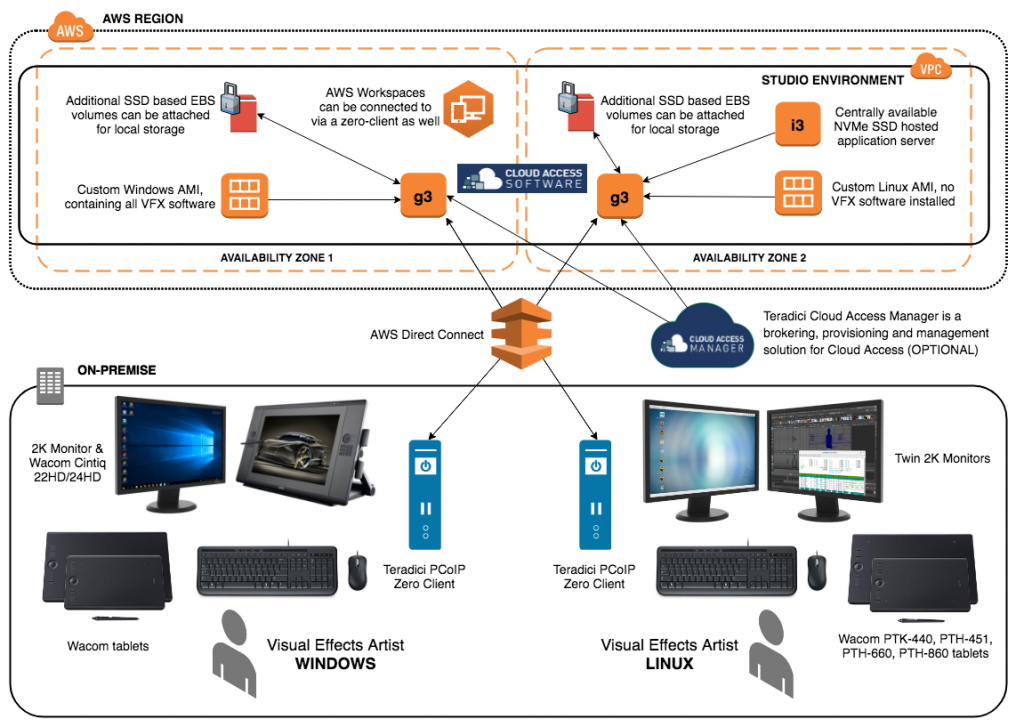
Image Credits: AWS
A Virtual Private Cloud (VPC) is created with Amazon EC2 G3 instances & SSDs. G3 instances provides access to the powerful NVIDIA Tesla M60 GPUs. AWS Direct Connect helps in connecting the on-premises workstations to the VPC.
AWS Direct Connect is a physical ethernet fiber-optics cable that connects the workplace network to the virtual private cloud. One end is connected to your internal network router and the other one is connected to the AWS Direct Connect router at their data center.
The VFX artists can work on their high-end workstations (Windows/Linux) consisting of: 2k displays, drawing tablets, keyboard, mouse and most importantly: a Teradici PCoIP Client. The PCoIP client connects them with the EC2 instances on the cloud.
Teradici is the developer of PCoIP (PC over IP). It is a Remote Desktop Protocol. These PCoIP clients help in remotely controlling the computers on the private cloud (more precisely: instances). The client can also detect input from drawing tablets, which can sense up to 8k different levels of pressure.
Fun fact: Luma Pictures now plans to install a direct connection to Google Cloud (Region: Los Angeles), which is similar to AWS Direct Connect. This will result in higher bandwidth and lower latencies, which would be beneficial for their future productions.
How can Indie Filmmakers & Studios Render on the Cloud?
Blender is a popular CGI suite among Artists & Indie Filmmakers
For smaller studios or independent animators using an open-source CGI Suite like Blender, the process might be even easier and faster. Here are a few methods for rendering on cloud using Blender:
Let’s begin with a quick-fix: use the GPU provided by Google Colab! As inefficient & silly it sounds, it’s good if you are aiming for a short animated clip lasting for a few seconds. You can directly render your ‘.blend’ file with this python script: BlenderRender.ipynb — Colaboratory (google.com)
Using AWS is extremely efficient for longer clips or physics intensive animations. Simply choose a P or G type Amazon EC2 Instance running a recent Linux AMI, and install Blender along with the necessary NVIDIA Drivers. Setup the script required to enable GPU rendering (Credits: Fajrul Falah). Google Cloud Platform setup requires similar steps.
Conclusion: Rendering can take hours and even generate a lot of heat. You can save your GPU cores from burning up and deliver the project on time, thanks to cloud rendering! Use it to the fullest! 🙂
Also, if you are preparing for the AWS Solutions Architect Associate Certification (SAA-C02), here’s a great practice test set by Neal Davis:
Although I’m not affiliated to Neal Davis and his company, but I’ve enrolled for his courses and would definitely recommend his content. Please note that these are affiliate links and I may earn a small commission from them. 🙂
I woke up to what seemed like a pretty normal day, for the year 2020. Followed the same routine, the same workout & got dressed up for work; only then, I heard a commotion outside. People were protesting, but why?
“FIND THE RECIPE! WE WANT THEM BACK!”, shouted the protesters.
Suddenly, my phone started to ring; it was Eric. “Hey Eric!”, I answered, “What’s u…”.
“Dude, stop whatever you are doing RIGHT NOW and GO, CHECK THE NEWS!”, he interrupted! “It’s 2020, we’ve already seen the World War 3, the Australian Bushfires & the Coronavirus… What else could be worse? A Kraken appearing in the sea?”, I joked as I turned on the TV and tuned to the news.
“JUST GO AND WATCH”, he replied in a serious tone. Okay now, I don’t have a good feeling about this. A grim moment awaits me as the words begin to flash on screen and I stare, open-mouthed, in horror! THIS CAN’T BE! Reading that the WORLD WAS ABOUT TO END, would have been a way better experience; but NOT THIS! This is utterly horrific! 2020 once again turned into a nightmare! Everything in eternity is about to lose it’s flavour!
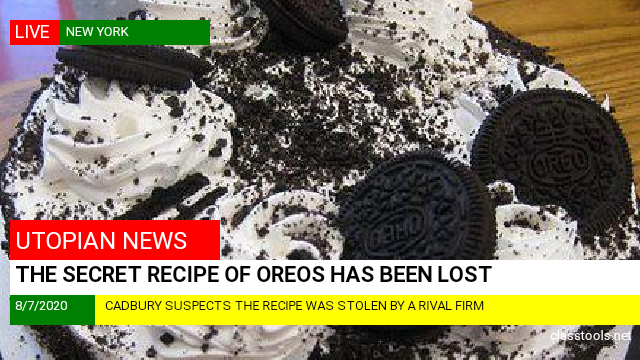
BREAKING NEWS: THE SECRET RECIPE OF OREOS HAS BEEN LOST!
Humanity has lost the very definition of versatility! No More delicious biscuits, cheesecakes, ice creams and cookies! 🍰🍨🍪
WELCOME TO A WORLD WITHOUT OREOS! 🚫🍪
THE END
I hope you enjoyed this piece of writing and it’s the first time I attempted a short horror story (okay, not-so-horror comedy 🤪). And since the entire world has stopped and we are all going through quarantine and isolation, here’s something that will prevent you from getting bored:
You would love the free month-long trial of Audible by Amazon. Audible brings you a wide range of audiobooks, which you can enjoy during your quarantine! What’s more? PRIME Members get a 90-day trial! Just hit the link down below to enjoy your free-trial which can be cancelled anytime in case you are just not into it! Even if you cancel your subscription, you get to keep the book you redeemed, so there’s nothing to lose! ❤
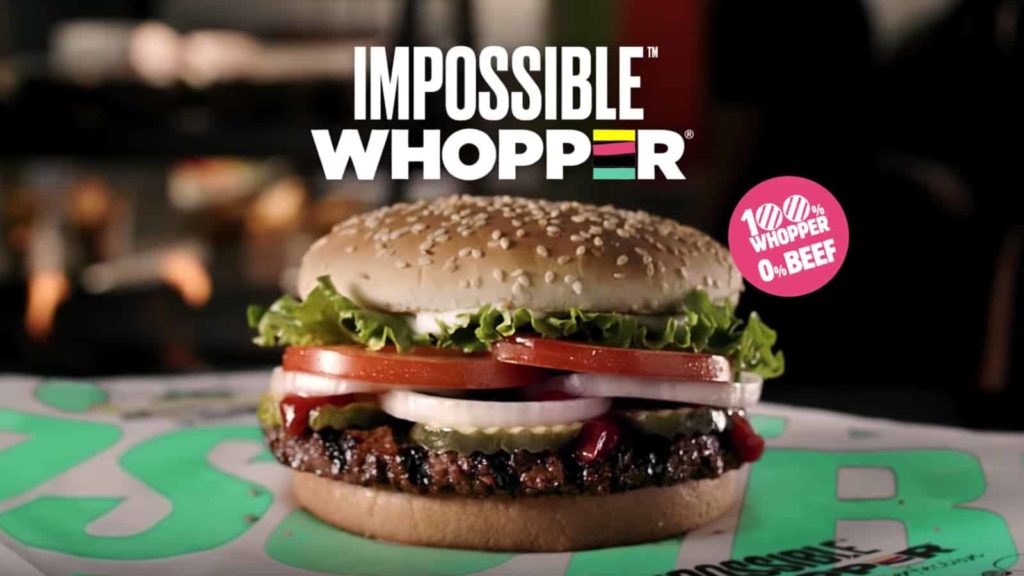
Guys, this ain’t another April Fool’s prank but Burger King just launched a vegan whopper which tastes totally like meat; in other words, it’s 0% meat and 100% real! The food giant recently announced it’s collaboration to test plant-based with the startup Impossible Foods, making it the biggest fast-food company to launch a vegetarian-friendly burger option to date. This is a great move by the firm since it is where the future of food lies: vegetarian stuff tasting like meat!
In the modern era of food industry, several new startups, like Beyond Meat, producing the so called ‘plant-based meat’ or ‘fake-meat’ have emerged and are abruptly disrupting the billion dollar meat industry. Technically, this seems to be a good news, judging from the environmental perspective. As humanity moves toward the new generation of meat, global warming problems will reduce significantly. And what’s more, the alternative doesn’t compromise on the taste! So be it lab-grown meat or this, we are sure progressing towards a better, eco-friendly future!
Woah, before you go, just hang on, cause this isn’t the first time Burger King tried such a wonderful collab!
They even made mcwhopper.com, a site dedicated to the whopper that never happened;
“Our invitation might be unexpected, but it’s 100 percent sincere”
-mcwhopper.com
cause this is how Steve Easterbrook, McDonald’s CEO, responded, “A simple phone call will do next time!” (posted on Facebook), maybe because it’s exactly the way you should treat someone asking you for charitable-collab to create a luscious burger on Peace Day!
Do you think plant-based meat will help in a sustainable future? I would like to know your opinion so feel free to comment below!
Thanks for reading and I hope you get the scent of sarcasm above! 😉